

🟣 Roku — IPTV Setup Guide
Follow our step-by-step installation guide to get your TVFlexLine IPTV subscription running in minutes.
🟣 Roku Device Setup Guide
Hot Player
IBO Player Pro
Compatible: All Roku devices — Roku TV, Roku Ultra, Roku Streaming Stick, and Roku
Express.
Step 1 — Install Hot Player
-
On your Roku, open the Roku Channel Store
-
Search for “Hot Player” and select it from results
-
Click “Add Channel” to install Hot Player on your Roku
Step 2 — Get Your MAC Address
-
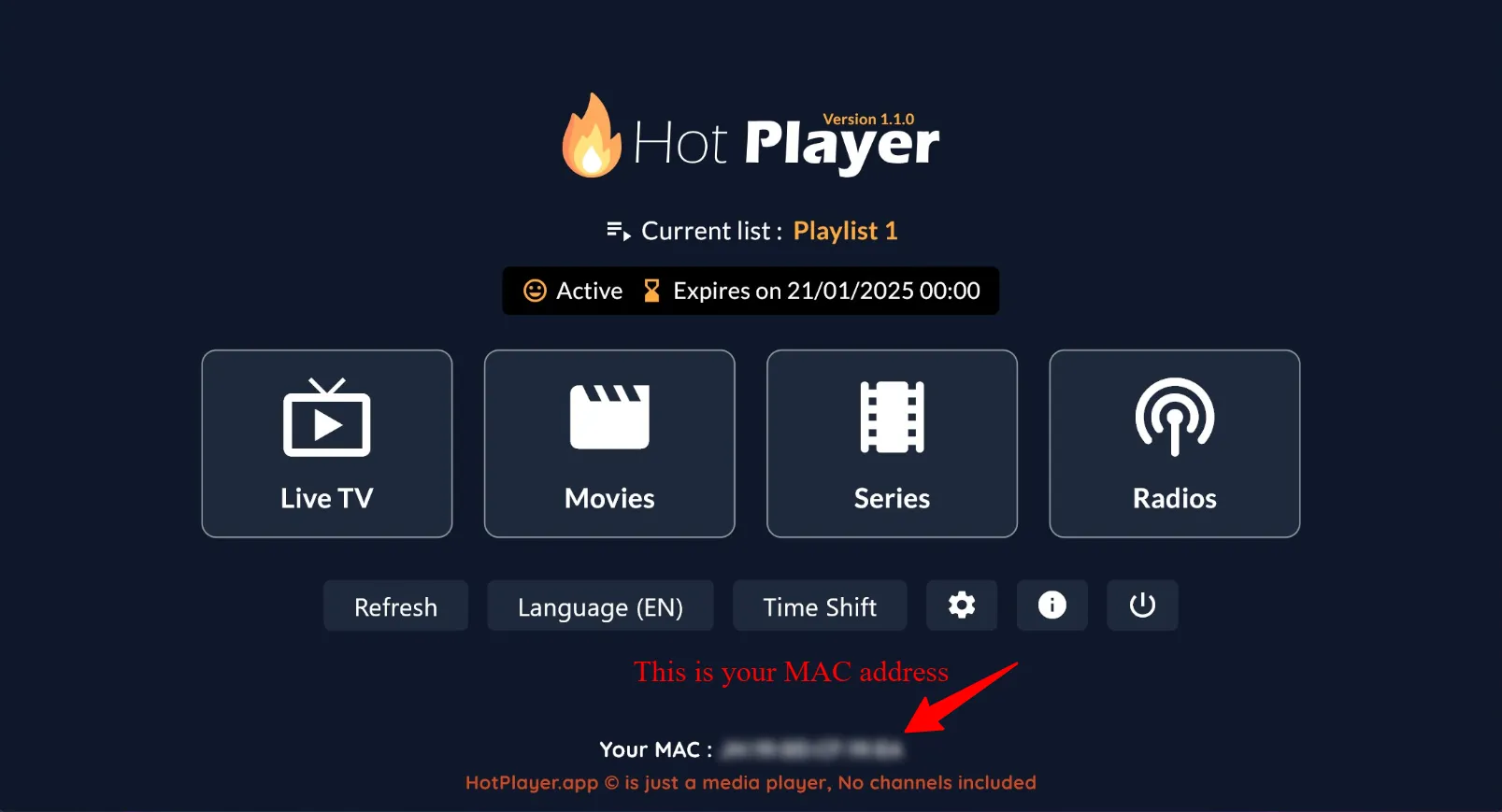
Open Hot Player on your Roku
-
Note the MAC Address shown on screen — take a photo
Step 3 — Configure Online at hotplayer.app
-
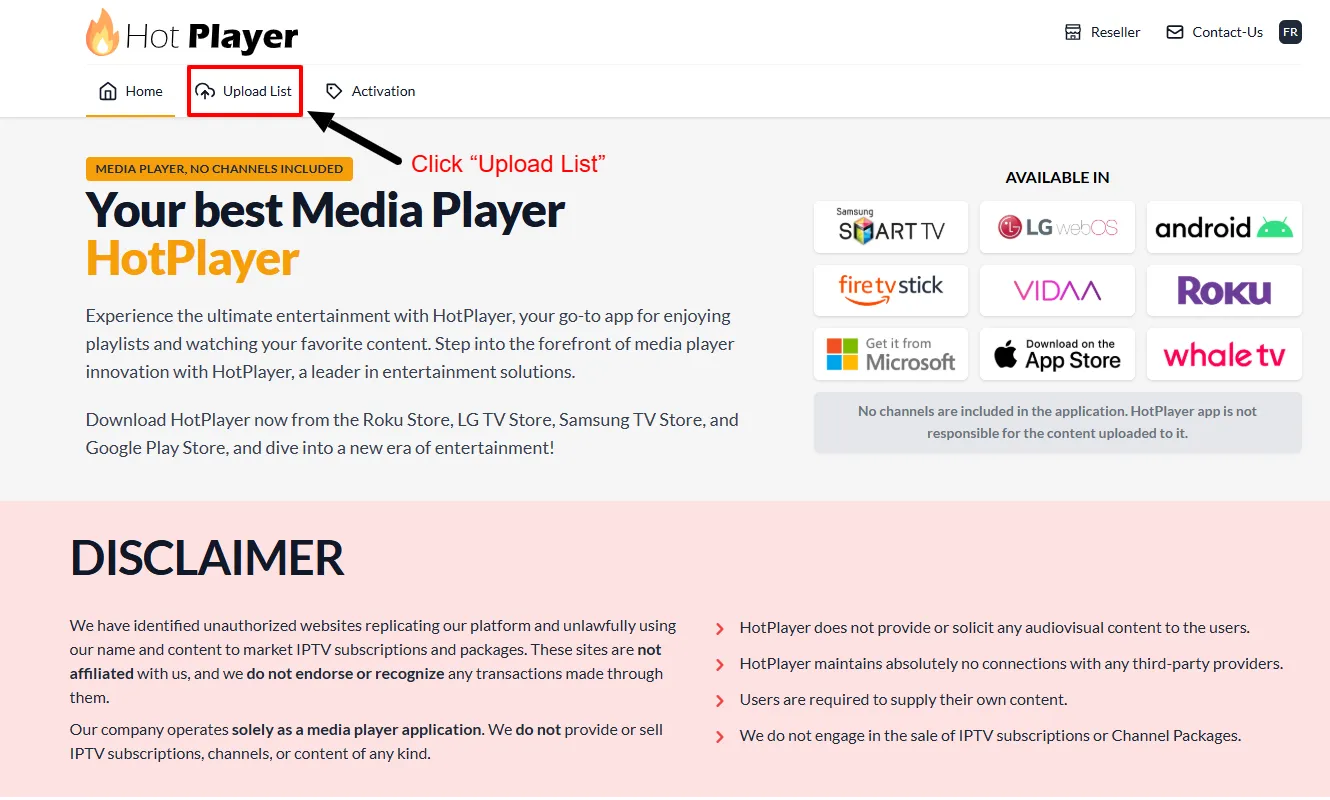
Visit hotplayer.app on any device, click Upload List
-
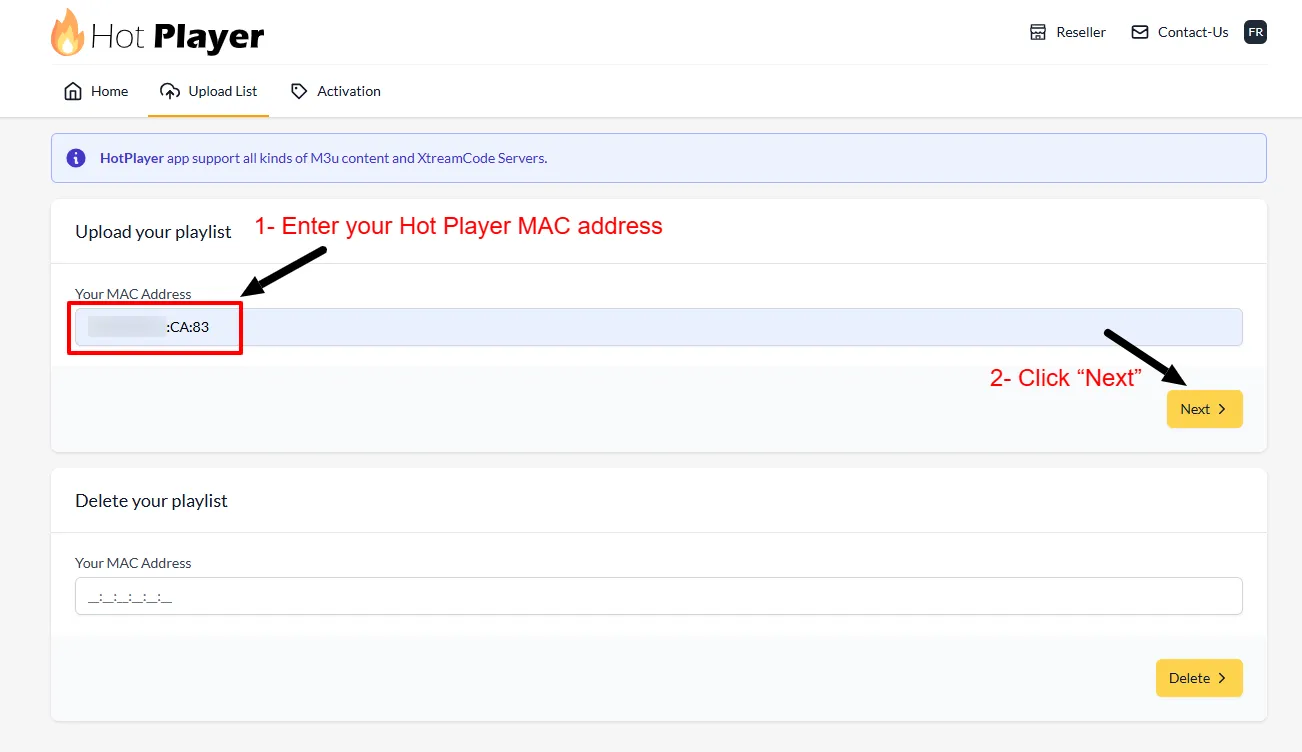
Enter your Roku’s MAC Address → click Next
-
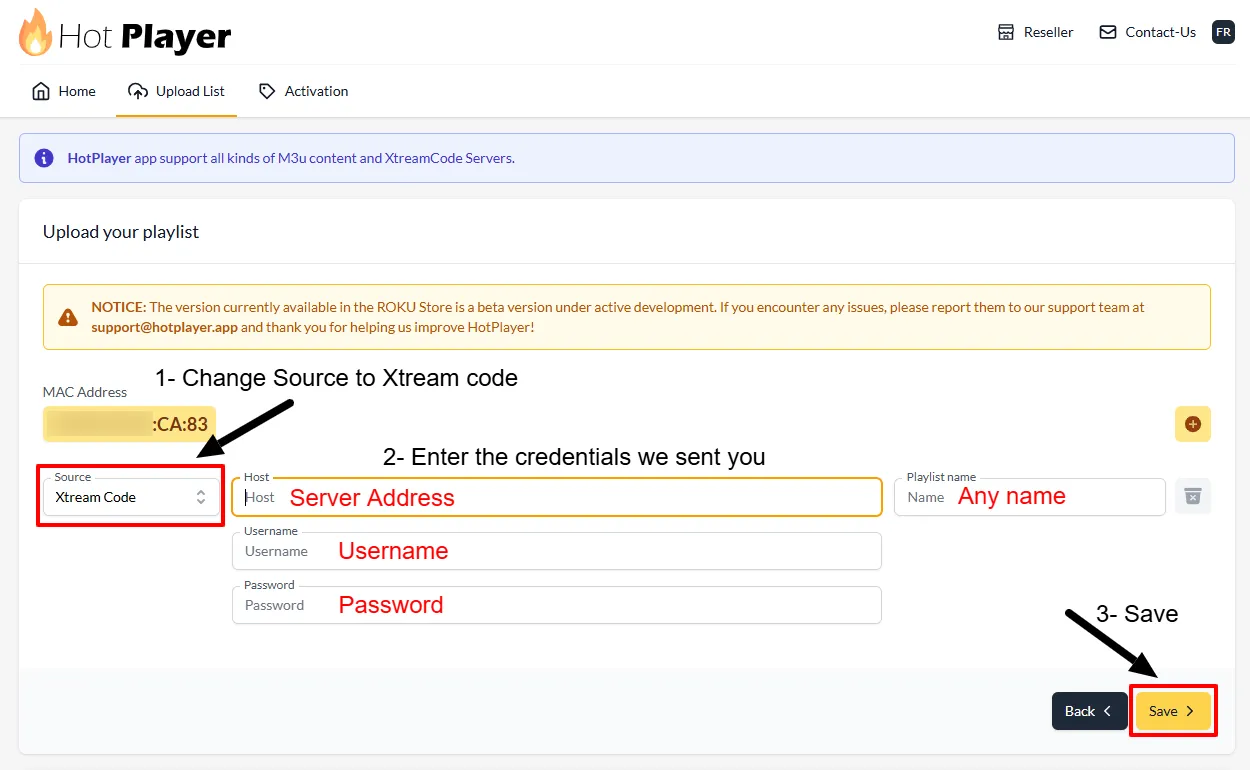
Change source to Xtream Code, then fill in Host, Username, Password → click Save
-
Return to Roku, refresh Hot Player and start watching! 🎉
Tip: Need 25 Mbps+ for HD, 50+ Mbps for 4K content.
❓ Frequently Asked Questions
Try changing your Roku account region or look for alternatives like IBO Player
Pro and GSE Smart IPTV in your region’s store.
Yes — Hot Player supports multiple playlists. Add them through the web interface
at hotplayer.app and switch easily on the device.