

📺 Smart TV — IPTV Setup Guide
Follow our step-by-step installation guide to get your TVFlexLine IPTV subscription running in minutes.
📺 Smart TV Setup Guide — All Brands
Hot Player
Perfect Player
Compatible models: LG WebOS, Samsung Tizen, Sony Android TV, TCL, Hisense, Vizio, and
other major Smart TV brands.
Note: If your Smart TV has the Google Play Store, follow the Android TV tutorial instead.
Step 1 — Install Hot Player
-
On your Smart TV, open the App Store (LG Content Store, Samsung Apps, etc.)
-
Search for “Hot Player” or “Hot IPTV”
-
Select Hot Player from results and click Install
Step 2 — Note Your MAC Address
-
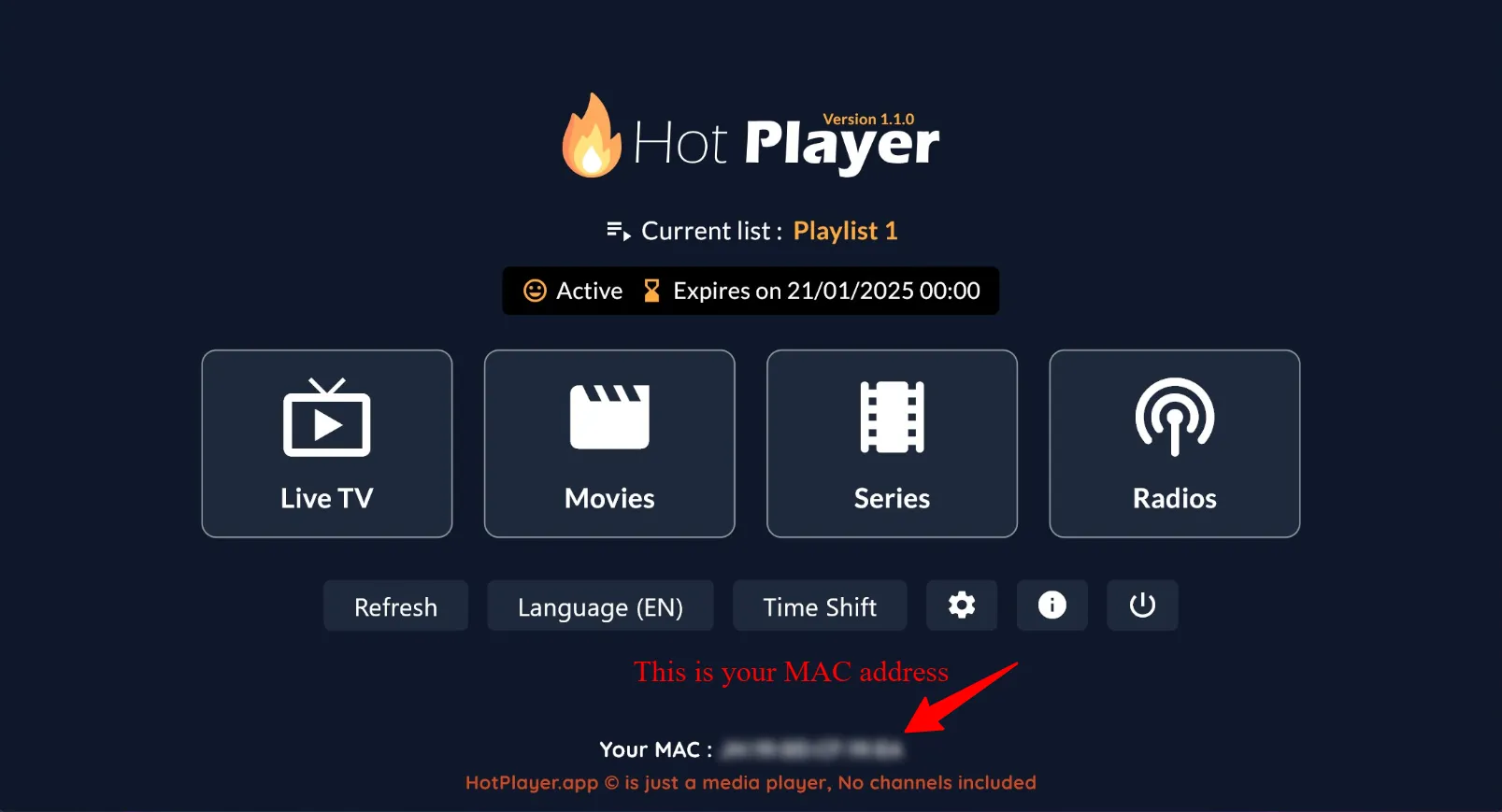
Open Hot Player on your Smart TV
-
Your MAC Address will be displayed. Write it down or photograph it — you’ll need it shortly
Step 3 — Configure Your Playlist Online
-
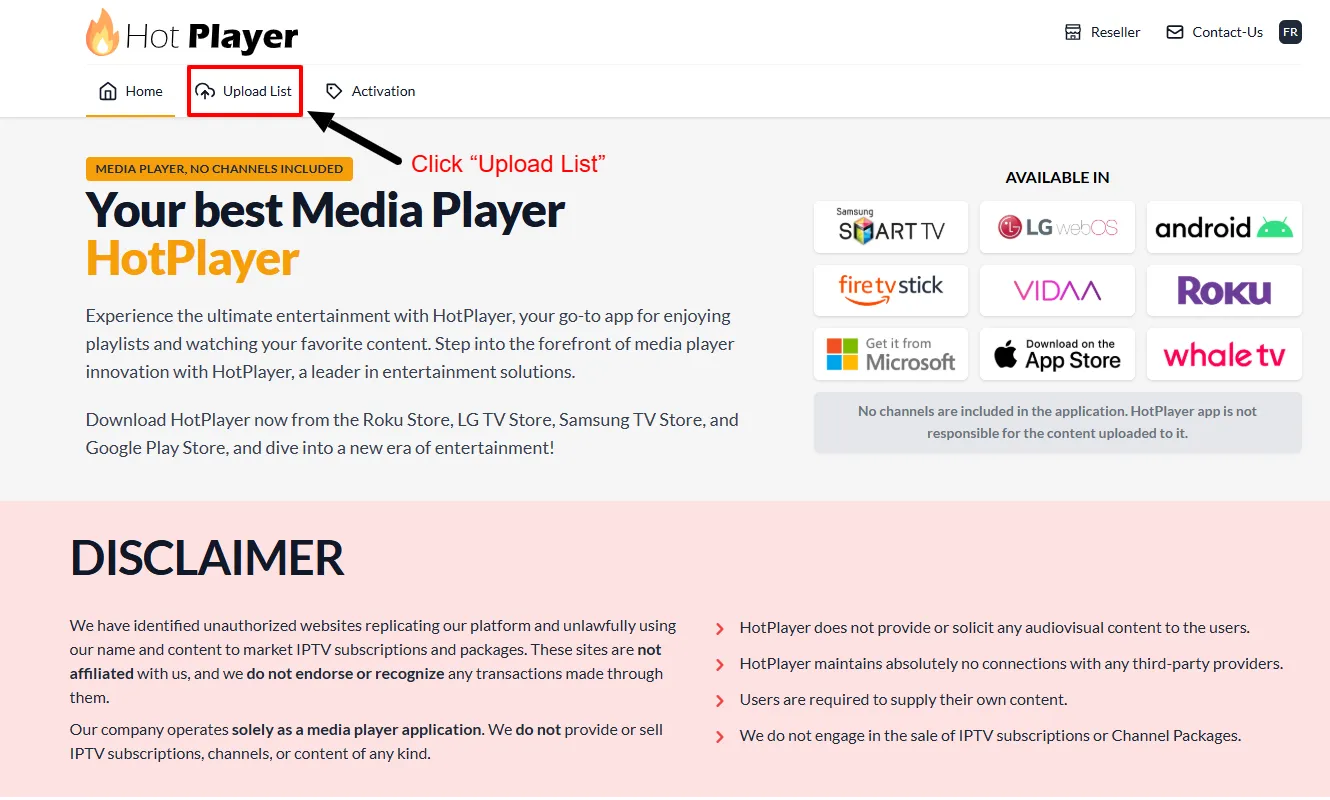
On your phone or computer, visit https://hotplayer.app
-
Click “Upload List”
-
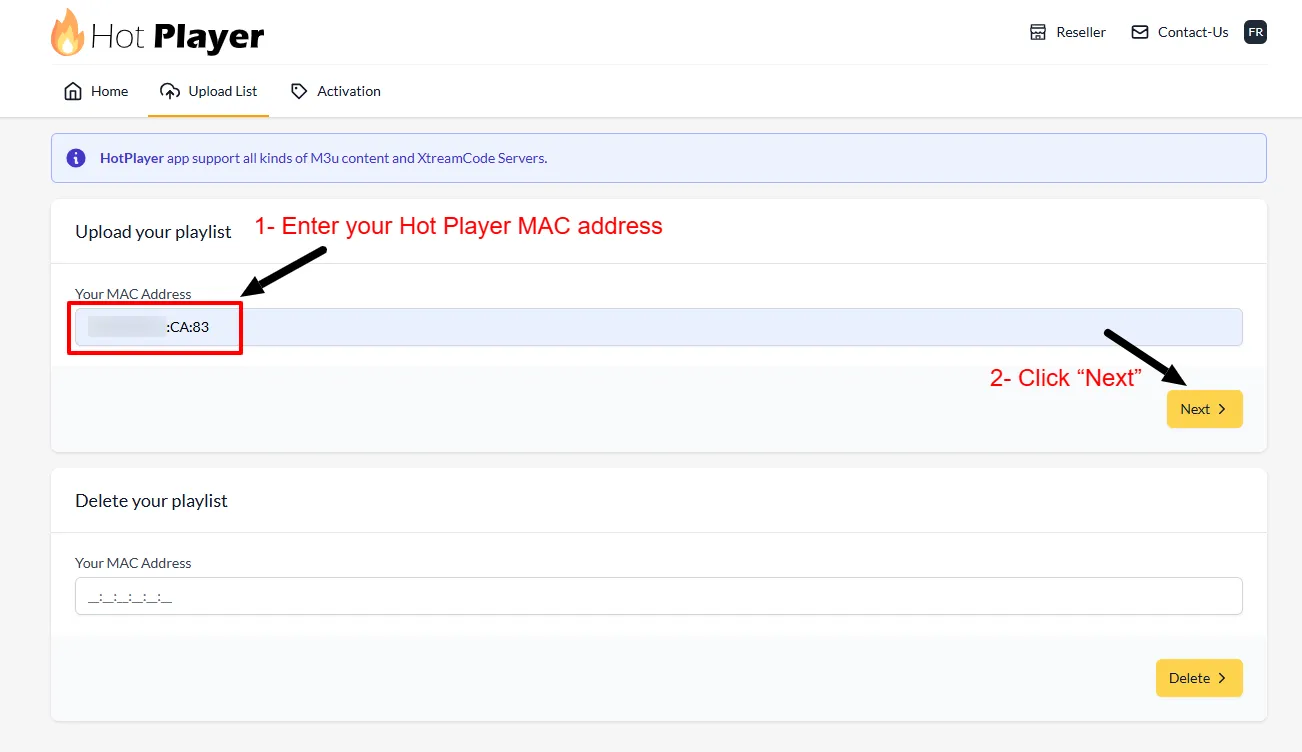
Enter your Smart TV’s MAC Address and click Next
-
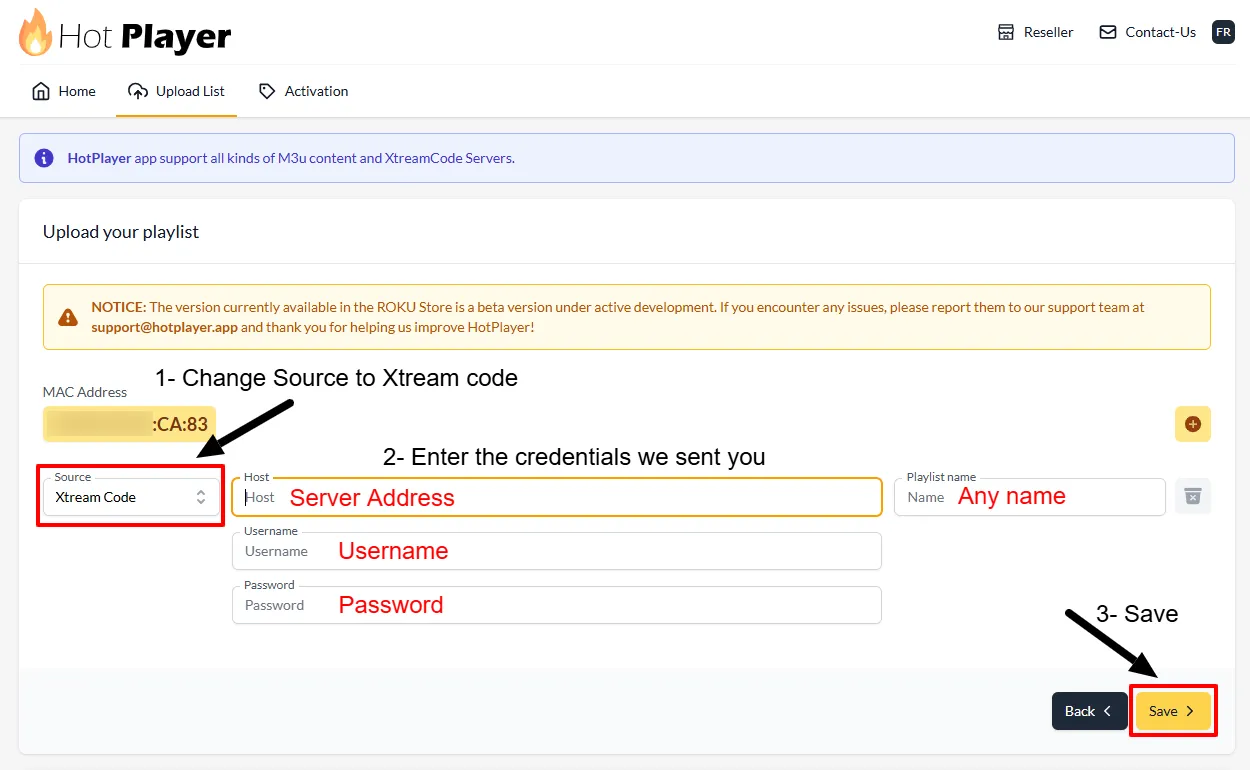
Change the Source to “Xtream Code”
-
Fill in your details:
• Host: Your server address
• Username: Your IPTV username
• Password: Your IPTV password
Then click Save -
Return to your TV and refresh Hot Player — your channels will load. You’re all set! 🎉
Tip: For best quality, use a wired (Ethernet) connection
if possible. Minimum 25 Mbps for HD, 50+ Mbps for 4K.
❓ Frequently Asked Questions
The MAC Address is displayed in the Hot Player app under the Account section
when you first open it.
Try changing your Smart TV account region, or use alternatives like Smart IPTV,
GSE Smart IPTV, or IBO Player from your TV’s app store.
Hot Player costs approximately $9 CAD/year or $21 CAD for a lifetime license. It
does not include channels — you need your own IPTV subscription.